




Overview
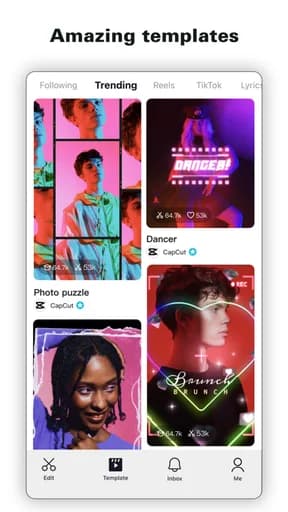
CapCut is a video players & editors app published by Bytedance Pte. Ltd, and it exists to handle playing local video or editing footage on a phone. That framing matters more than any feature list: the useful question is not how much this app can do, but whether it does that one job in a way you can rely on when you are distracted, in a hurry, or on a poor connection.
This review works from what can be verified — the store listing, the category it competes in, and the rating it has accumulated — and is explicit about where judgement replaces fact.
Codec coverage, export quality, and thermal limits
CapCut competes in Video Players & Editors, and that category has its own recurring failure modes worth naming before anything else. For players, the whole question is what it will open. Codec and container support decide whether a file plays, plays without sound, or does not play at all, and subtitle format support is a separate matter again.
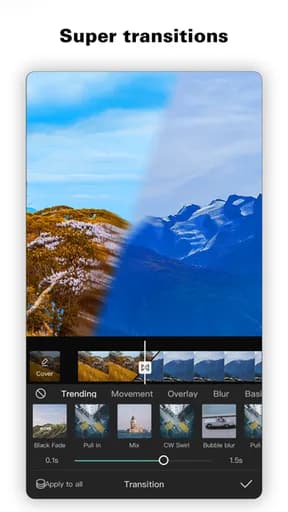
For editors, the constraint is physical. Rendering is demanding enough that phones throttle, and a long export can degrade or fail on a warm device. Watermarks and resolution caps on the free tier are the other common surprise.
What the rating actually tells you
A 4.5 average is a solid result. It typically describes software that does its main job well while carrying a recognisable set of complaints — often around pricing, notifications, or a recent redesign.
Store rating counts for CapCut are not recorded in this catalogue, so treat the average as a directional signal and check the current figure on the official listing.
How it compares within Video Players & Editors
At 4.5, CapCut rates 0.2 above the Video Players & Editors median of 4.3 in this catalogue, ranking 3rd of 8. The category leader on rating is YouCut - Video Editor & Maker, which is the most direct comparison worth making before settling on this one.
On audience size, YouCut - Video Editor & Maker leads the category with roughly 8.6M ratings. A smaller audience is not a defect — it often accompanies a more specific design — but it does mean fewer edge cases have been found by other people first.
Permissions, data, and account requirements
Local playback usually needs only storage access. Cloud-based editing uploads your footage to a server, which is a materially different arrangement — check retention if you use it.
The data surface here is comparatively small, and most requests relate directly to the feature. The exception is advertising: free titles in this category typically share an advertising identifier and approximate location with ad networks.
Availability across stores
CapCut is listed on both Google Play and the App Store. Cross-platform availability is convenient, but feature parity is not guaranteed — release timing, platform-specific features, and pricing frequently differ between the two versions.
One detail worth noting: Google Play files it under Video Players & Editors, while the App Store lists it under Photo & Video. That kind of split usually means the app sits between two use cases, and it is a useful hint about which audience each store thinks it is for.
Notifications and attention
The notification settings deserve a visit before the app has had a chance to establish a habit. Anything that is not tied to a real event — a message, a transaction, a scheduled item — is engagement rather than information.
The signal to watch for is whether CapCut separates categories of notification or offers a single on-off switch. Fine-grained control is a reasonable proxy for whether the developer expects you to stay in control of the relationship.
Updates and long-term maintenance
Update cadence is the most useful maintenance signal available on a store listing. Check the last-updated date on the official page: a long gap in an actively-used category usually means the product is in maintenance rather than development.
Frequent updates are not automatically good either. A redesign can remove a workflow you depend on, and in mobile software there is rarely a way back to the previous version.
Behaviour on a poor connection
A weak signal is harder on an app than no signal. Watch how CapCut behaves at one or two bars: whether it shows stale content honestly, retries quietly, or leaves you looking at a spinner with no way to cancel.
The behaviour worth checking specifically is whether an action you have already taken survives. Losing a half-completed form, a queued message, or an unsaved change to a dropped connection is the failure people remember, and it is entirely preventable.
How to evaluate it yourself
Open an awkward file rather than a convenient one. For editing, export a full-length project and check for a watermark, a resolution cap, and how hot the phone gets.
Run that test before you invest time in setup. Most of what goes wrong with mobile software is visible in the first serious session and invisible in the first casual one.
Verdict
CapCut suits people with an existing video library or a real editing project. The rating supports that, though the store listing remains the authority on current pricing, permissions, and regional availability.
Try it without paying, prune the notifications immediately, and check one alternative before your data starts accumulating here.
Highlights
- Broad codec and subtitle support
- Export without a watermark
- Stable on longer projects
Limitations
- Free tiers often cap resolution or add watermarks
- Long exports can throttle on a warm phone
- Cloud editing uploads your footage
Frequently Asked Questions
What is CapCut used for?
CapCut is a video players & editors app from Bytedance Pte. Ltd, intended for playing local video or editing footage on a phone. Codec coverage, export quality, and thermal limits is the part of the experience that most affects whether it works for you day to day.
Is CapCut free?
Pricing, subscriptions, and in-app purchases vary by country and release, and can change between versions. Open the official store listing from this page to confirm the current terms before installing.
What permissions does CapCut need?
Local playback usually needs only storage access. Cloud-based editing uploads your footage to a server, which is a materially different arrangement — check retention if you use it. The store listing carries the authoritative, current permission list for your region.
Where can I download CapCut?
This page links only to verified official listings — Google Play and the Apple App Store. Find Good Apps does not host or distribute application files.
How should I test CapCut before relying on it?
Open an awkward file rather than a convenient one. For editing, export a full-length project and check for a watermark, a resolution cap, and how hot the phone gets.
Does Find Good Apps develop CapCut?
No. Find Good Apps is an independent publication operated by Sophon LLC. It is not the developer, publisher, or distributor of CapCut, and has no commercial relationship with Bytedance Pte. Ltd.