

Overview
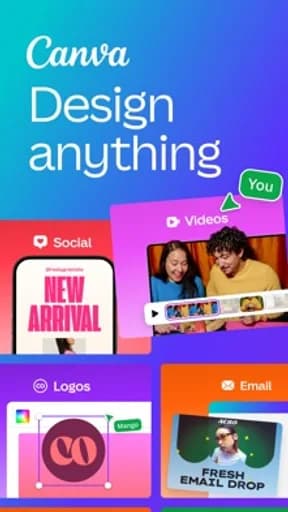
Canva is an art & design app published by Canva, and it exists to handle drawing, illustration, and visual composition on a touchscreen. That framing matters more than any feature list: the useful question is not how much this app can do, but whether it does that one job in a way you can rely on when you are distracted, in a hurry, or on a poor connection.
The sections below stay with what is checkable from the public listing, and flag interpretation as interpretation.
Canvas, tools, and the cost of a mistake
What matters in Art & Design is narrower than a feature list suggests, and it is where Canva should be measured first. Drawing apps live or die on three things: how quickly the tool you want is reachable, how faithfully pressure and gesture translate into marks, and how cheap it is to undo. A cramped tool palette costs more over a long session than any missing brush.
Layer handling is the other pressure point. Exporting flattened work, losing layer names, or hitting an undo ceiling mid-piece are the failures people actually remember, and they rarely show up in the first ten minutes.
What the rating actually tells you
Its 4.8 average sits at the top of what mobile software realistically achieves. Scores in this range usually indicate that the core task works reliably and that updates have not disrupted long-standing behaviour.
Store rating counts for Canva are not recorded in this catalogue, so treat the average as a directional signal and check the current figure on the official listing.
How it compares within Art & Design
At 4.8, Canva rates 0.3 above the Art & Design median of 4.5 in this catalogue, ranking 1st of 8. Nothing else in the category rates higher here, though a leading average says more about meeting expectations than about depth of features.
On audience size, ibis Paint X leads the category with roughly 3M ratings. A smaller audience is not a defect — it often accompanies a more specific design — but it does mean fewer edge cases have been found by other people first.
Permissions, data, and account requirements
Expect storage and photo-library access. Cloud sync, if offered, means artwork leaves the device, so check where files are stored and whether an account is required to open your own work later.
Most of what this category collects is used to make the product function. Even so, it is worth confirming what is retained after you stop using it, and whether deleting your account actually deletes the content.
Availability across stores
Canva is listed on both Google Play and the App Store. Cross-platform availability is convenient, but feature parity is not guaranteed — release timing, platform-specific features, and pricing frequently differ between the two versions.
One detail worth noting: Google Play files it under Art & Design, while the App Store lists it under Photo & Video. That kind of split usually means the app sits between two use cases, and it is a useful hint about which audience each store thinks it is for.
Updates and long-term maintenance
Update cadence is the most useful maintenance signal available on a store listing. Check the last-updated date on the official page: a long gap in an actively-used category usually means the product is in maintenance rather than development.
The other side of frequent updates is disruption. Interface changes arrive without warning and cannot be declined, which is worth weighing before something becomes load-bearing in your routine.
Behaviour on a poor connection
Mobile software is used in lifts, on trains, and in buildings with unreliable signal, and that is where design quality becomes obvious. The question for Canva is what remains usable when the connection degrades rather than disappears entirely — a partial connection produces worse failures than no connection at all.
The behaviour worth checking specifically is whether an action you have already taken survives. Losing a half-completed form, a queued message, or an unsaved change to a dropped connection is the failure people remember, and it is entirely preventable.
Storage, battery, and device load
Canva will accumulate more storage than its install size suggests — caches, downloads, and offline content grow quietly. Whether that cache is manageable from inside the app, or only by clearing data and losing your settings with it, is a small design decision with a long tail.
Battery use is best measured after the fact. The system battery screen will tell you within a week whether background activity is proportionate to how much you actually use it.
How to evaluate it yourself
Start a real piece rather than a doodle: build three or four layers, undo aggressively, then export and reopen the file to confirm nothing was silently flattened or downsampled.
Do this while you can still walk away easily. The cost of switching rises quickly once an account, a library, or a month of history is involved.
Verdict
Canva suits people who want to draw seriously on a phone or tablet rather than sketch occasionally. The rating supports that, though the store listing remains the authority on current pricing, permissions, and regional availability.
Start with the free tier, review the notification defaults on day one, and give one competitor a fair trial before you build a habit around this one.
Highlights
- Direct, low-latency drawing input
- Layer work that survives export
- Tools reachable without menu-diving
- Rated 4.8 on Google Play
Limitations
- Advanced brushes often sit behind a subscription
- Large canvases stress older devices
- Export settings deserve a check before finishing a piece
Frequently Asked Questions
What is Canva used for?
Canva is an art & design app from Canva, intended for drawing, illustration, and visual composition on a touchscreen. Canvas, tools, and the cost of a mistake is the part of the experience that most affects whether it works for you day to day.
Is Canva free?
Pricing, subscriptions, and in-app purchases vary by country and release, and can change between versions. Open the official store listing from this page to confirm the current terms before installing.
What permissions does Canva need?
Expect storage and photo-library access. Cloud sync, if offered, means artwork leaves the device, so check where files are stored and whether an account is required to open your own work later. The store listing carries the authoritative, current permission list for your region.
Where can I download Canva?
This page links only to verified official listings — Google Play and the Apple App Store. Find Good Apps does not host or distribute application files.
How should I test Canva before relying on it?
Start a real piece rather than a doodle: build three or four layers, undo aggressively, then export and reopen the file to confirm nothing was silently flattened or downsampled.
Does Find Good Apps develop Canva?
No. Find Good Apps is an independent publication operated by Sophon LLC. It is not the developer, publisher, or distributor of Canva, and has no commercial relationship with Canva.